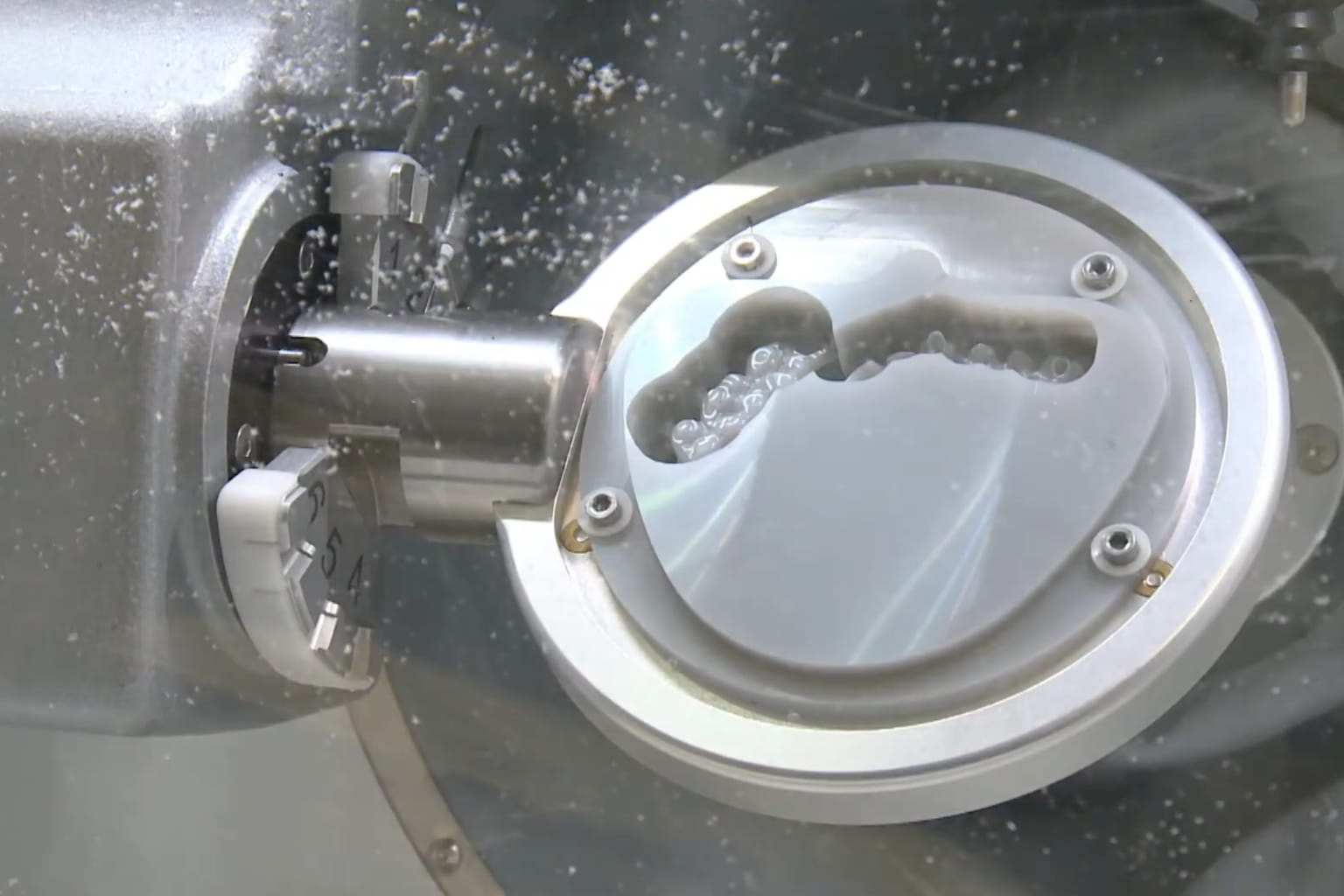
Why Your Ceramill Motion 2 Chips Zirconia (And How to Fix It)

One in Three Crowns Chipping Off the Machine
A Ceramill Motion 2 user recently reported that roughly one in three zirconia crowns came off the machine with chipped margins. Same material, same CAM settings, random failures. The machine ran fine on PMMA and wax. Only zirconia caused problems.
That pattern — zirconia-only Amann Girrbach zirconia chipping on an otherwise healthy machine — almost always points to one of three causes. None of them require a service call.
The Three Causes of Ceramill Motion 2 Zirconia Chipping
1. Burs Past Their Lifespan
Most common cause and hardest to spot. A worn bur doesn't look obviously damaged. It still spins, still cuts. But the cutting edges have dulled enough that instead of slicing through pre-sintered zirconia, the bur pushes and fractures it. Margins go first — they're the thinnest cross-section on the restoration.
Carbide burs on zirconia last roughly 30–80 units before edge degradation causes chipping. Diamond-coated burs push that to 150–500+ units, depending on coating quality and the zirconia brand. The problem: most labs don't track bur usage, so a bur that should have been swapped 20 units ago is still in the magazine.
2. Sharing Burs Between Materials
Running the same bur set across zirconia, PMMA, and wax is common in smaller labs. Saves money upfront. Also kills your zirconia results.
PMMA and wax leave residue on cutting edges. More importantly, softer materials cause a different wear pattern on the bur geometry. A bur that cuts PMMA cleanly at 200 units will chip zirconia after 40. The Ceramill Motion 2 doesn't distinguish between material-specific wear — it runs whatever's in the magazine. If your bur set has been milling PMMA all week and you switch to zirconia on Friday, expect chips.
The fix: separate bur sets by material group. One set for zirconia. One set for PMMA and wax. Label them. Never cross-contaminate. Labs that do this see chipping rates drop immediately.
3. Margin Line Offset Too Thin
The Ceramill CAM software (whether you're using Ceramill Mind or running through 3Shape) has a margin line offset parameter. Below 0.15mm, the finishing pass leaves a margin wall too thin for the bur to cut cleanly. The bur deflects slightly under load, and the thin margin snaps.
Set your margin line offset to 0.20mm minimum. Some labs go to 0.25mm for molars. You'll need slightly more hand finishing, but you'll stop throwing away chipped crowns.
How to Track Bur Life (So You Replace Them on Time)
Knowing worn burs cause chipping is useless if you don't know how many units each bur has milled. Most labs guess. Guessing costs money — either through premature replacement (wasting good burs) or late replacement (wasting crowns).
Two methods that actually stick:
The Spreadsheet Method
Create a table in Excel or Google Sheets. Columns: bur position in magazine, bur type (rougher/finisher), material group, date installed, unit count, replacement threshold. After each job, add the unit count to the running total. When a bur hits its threshold, swap it.
Takes about 30 seconds per job. Most labs abandon it after a week because they forget. The ones that stick with it say it's the single biggest factor in reducing chipping and catching bur wear before it causes failures.
The Tally Mark Method
Simpler: tape a piece of masking tape to the bur holder. Every 5 units, draw a tally mark. Hit the replacement threshold, swap the bur, put fresh tape.
Low-tech. Works for labs that won't maintain a spreadsheet. Downside: you lose historical data. Can't compare bur brands over time or analyze trends.
Real Lab Data: What to Expect
| Bur Type | Machine | Material | Reported Lifespan |
|---|---|---|---|
| Standard carbide set | Ceramill Motion 2 | Zirconia | 30–80 units |
| Diamond-coated set | Ceramill Motion 2 | Zirconia | 150–500+ units |
| 1mm uncoated carbide | Roland DWX series | Zirconia | 150–180 units |
| 2.5mm diamond-coated | Imes-Icore 340i | Zirconia | ~1,800 units |
| Non-coated carbide | Various | PMMA/Wax | 300–600 units |
These numbers come from lab owners sharing their experience on dental lab forums. Your results will vary based on zirconia brand, coolant condition, and spindle hours. Use them as starting points for your own tracking, not as guarantees.
The Chipping Elimination Checklist
Before blaming your CAM software or calling Amann Girrbach service, run through this:
- Check bur unit count. If you're not tracking, assume your burs are overdue. Replace the zirconia set and see if chipping stops.
- Verify material separation. Are your zirconia milling burs only being used for zirconia? If they've touched PMMA or wax, replace them.
- Check margin line offset. Open your CAM settings. If the offset is below 0.15mm, bump it to 0.20mm.
- Inspect coolant flow. Inadequate coolant causes heat buildup at the margin, leading to micro-fractures. Make sure all nozzles are clear and coolant concentration is within spec.
- Review spindle hours. A spindle past 3,000 hours may have enough runout to cause margin chipping even with fresh burs. Check the machine maintenance log.
If chipping persists after all five checks, look at your bur supplier. Not all compatible burs are equal — coating quality and carbide grain size matter.
Diamond-Coated vs Carbide: Which Makes Sense for the Motion 2?
The Ceramill Motion 2 uses a standard shank size compatible with most aftermarket burs. Here's the honest breakdown:
Carbide (uncoated): Lower upfront cost. 30–80 unit lifespan on zirconia. Fine for labs milling under 20 zirconia units per week. You'll replace burs often, but each set is cheap.
Diamond-coated: Higher upfront cost. 150–500+ unit lifespan on zirconia. Better for labs running 20+ units per week. The per-unit cost drops below carbide once you factor in replacement frequency and wasted crowns from chipping.
High-volume zirconia labs on the Motion 2 typically switch to diamond-coated and never go back. The initial cost stings, but the math works within the first month. For low-volume mixed-material labs, uncoated carbide with strict material separation is more practical.
Running a Ceramill Motion 3 instead? Same principles apply — see our Motion 3 bur setup guide for machine-specific details.
Frequently Asked Questions
Why does my Ceramill Motion 2 chip zirconia but not PMMA?
Zirconia is harder and more brittle. A slightly worn bur that still cuts PMMA cleanly will fracture zirconia margins. Cutting forces are 3–5x higher on zirconia, so bur condition matters far more.
How often should I replace milling burs on the Ceramill Motion 2?
For zirconia: every 30–80 units with uncoated carbide, every 150–500 units with diamond-coated. Track actual unit counts — milling frequency varies too much between labs to rely on calendar dates.
Can I use the same burs for zirconia and PMMA?
Technically yes. Practically no. PMMA residue and different wear patterns degrade performance on zirconia. The cost of a second bur set is less than one wasted zirconia crown.
What margin line offset should I use for zirconia?
Minimum 0.20mm. For posterior crowns, 0.25mm gives more safety margin. Below 0.15mm, the finishing bur deflects and chips the thin wall.
Zirconia chipping on the Ceramill Motion 2 is a bur management problem, not a machine problem. Track your bur life, keep material sets separate, set margins to 0.20mm. The chipping stops.