
Implant Abutment Milling: Materials, Precision, and Bur Selection
Why Custom-Milled Abutments? Because Stock Abutments Are a Compromise
If you've been in a dental lab longer than a week, you've seen the difference. A stock abutment jammed into a case where the emergence profile looks like a telephone pole sticking out of the gingiva. No transition. No tissue support. Just a straight cylinder and a prayer. Implant abutment milling changed the game for labs that care about restorative outcomes, and once you start milling custom abutments, stock feels like alginate impressions.
The whole point is emergence profile control. A custom-milled abutment lets you shape the transmucosal contour to match natural tooth anatomy at the tissue level—supporting soft tissue from the platform up through the free gingival margin. The tissue responds differently. Less recession. Better papilla fill. Healthier sulcus depth. Prosthodontists notice.
Tissue management during the provisional phase? Night and day. Design the abutment contour in CAD to mirror the provisional shape and you get predictable soft tissue conditioning. The definitive restoration seats into tissue that's already been trained.
And margin placement. Custom abutment, you put the margin exactly where you want it—subgingival on the facial, equigingival on the lingual. Stock abutments give you whatever margin the manufacturer decided.
Material Selection: Titanium, Zirconia, and the Hybrid Approach
Material choice isn't complicated, but people overthink it. Here's how it breaks down.
Titanium: The Posterior Workhorse
Titanium abutments are the gold standard for posterior cases. Full stop. Grade 5 Ti-6Al-4V gives you the strength and biocompatibility you need, the connection stays metal-on-metal (which is what every implant manufacturer designed for), and nobody's seeing the abutment material through tissue in the molar region anyway.
Titanium also wins for angulated screw channel cases and anywhere you need maximum wall thickness. The fatigue resistance is unmatched—titanium abutments survive years of parafunction that would crack zirconia at the thinnest cross-section.
Zirconia: Anterior Esthetics, With Caveats
For anterior cases with thin biotype tissue, zirconia eliminates the gray shadow titanium can cause. The warm white tone transmits through thin gingiva more naturally. In the esthetic zone, this matters.
But here's the caveat: a full zirconia abutment on an implant platform is ceramic-on-metal. Tolerances have to be perfect. Zirconia doesn't deform like titanium—it either fits or it doesn't. And if there's micromovement, zirconia particles can abrade the implant platform over time. Some clinicians don't worry about this. Some lose sleep over it.
Hybrid Ti-Base + Zirconia: Best of Both Worlds
This is where most labs have landed for anterior work, and it makes the most sense. A machined titanium base handles the implant connection—metal on metal, the way it was designed—and a CAD/CAM zirconia or lithium disilicate mesostructure bonds on top for transmucosal esthetics.
The Ti-base connection is factory-machined to implant spec. You're not trusting your 5-axis mill to hold 10-micron tolerances on a ceramic internal hex. The adhesive junction sits well above bone level, away from the worst mechanical stress. Smart design.
Milling Parameters: Titanium Abutments
Milling titanium is not like milling zirconia. Approach it the same way and you'll burn through burs in a single job. Titanium is gummy, work-hardens fast, and generates serious heat. Respect the material.
Wet Milling Is Mandatory
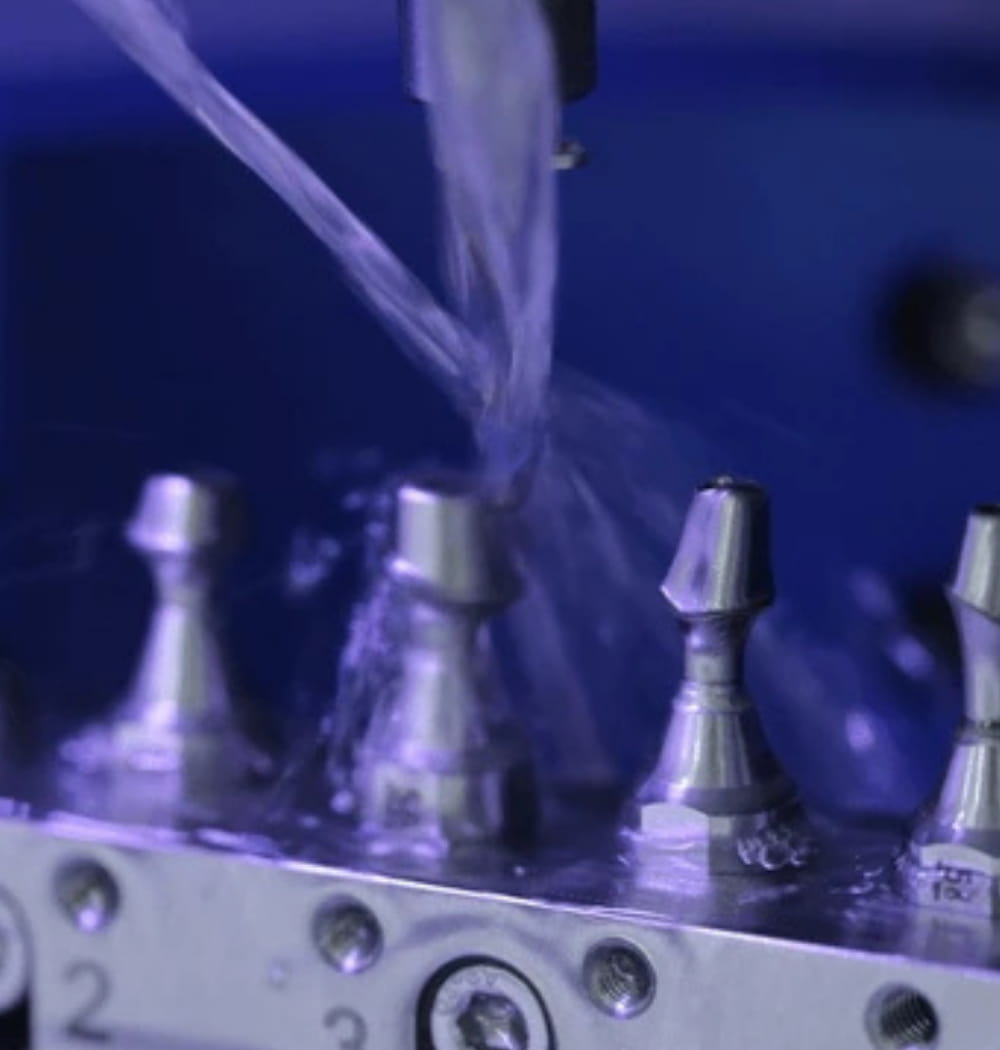
Dry milling titanium is not an option. Heat buildup destroys your bur, warps the part, and creates a fire hazard from titanium chips. Flood coolant, directed at the cutting zone. If your machine's coolant delivery is marginal, fix it before you start milling Ti abutments.
Bur Selection and Speeds
You need coated carbide burs—TiAlN or similar coatings that handle heat and resist adhesive wear. Diamond burs are for ceramics. Carbide is for metals. If you're unsure what you need, start with quality metal milling burs rated for titanium.
Spindle speed: low. We're talking 8,000–15,000 RPM depending on bur diameter and operation. Roughing at the low end, finishing slightly higher. The temptation to crank RPM for a better surface finish will cost you bur life and part accuracy. For a deeper breakdown, check our titanium milling guide.
Feed rate: moderate and consistent. You want a real chip load—not rubbing. Rubbing causes work hardening, and once titanium work-hardens at the cut surface, you're fighting a losing battle. Bur deflects, dimensions drift, connection fit goes out the window.
| Parameter | Titanium Roughing | Titanium Finishing |
|---|---|---|
| RPM | 8,000–10,000 | 12,000–15,000 |
| Coolant | Flood (mandatory) | Flood (mandatory) |
| Bur Type | Coated carbide, larger diameter | Coated carbide, fine geometry |
| Chip Load | Aggressive—avoid rubbing | Moderate, consistent engagement |
| Stepdown | 0.3–0.5 mm | 0.05–0.15 mm |
Milling Parameters: Zirconia Abutments and Connection Accuracy
Zirconia is easier on your machine than titanium. No coolant mess, lower cutting forces, faster cycle times. But the critical difference with abutment work versus crown work is the connection geometry. You're milling an interface that has to mate with the implant platform to single-digit micron accuracy. Different game than occlusal anatomy where 50 microns is fine.
Connection Accuracy Is Everything
Whatever connection your implant system uses—internal hex, tri-channel, conical—the geometry has to be spot-on after sintering. Your pre-sintered dimensions must account for shrinkage precisely. A 0.5% error becomes a connection that rocks or binds. Every zirconia blank lot varies slightly. If your CAM software lets you input lot-specific shrinkage values, use them. Always.
Sharp zirconia milling burs are critical for the connection detail. A worn bur rounds off internal corners and you lose anti-rotational feature definition. The abutment might seat on the analog and feel okay, but under load it'll have microrotation. Bad outcome.
Speeds and Strategy
Zirconia abutment milling runs at higher RPM—25,000–40,000 RPM for pre-sintered zirconia. Dry milling. Light, consistent passes on the connection area. Some labs run the connection geometry as a separate finishing operation with a fresh bur. Worth the extra bur cost for a reliable connection.
Bur Wear, Fit Verification, and Common Errors
Titanium vs. Zirconia Wear Patterns
Titanium and zirconia destroy burs in completely different ways, and recognizing the patterns early saves you from scrapped parts.
Titanium causes adhesive wear. Material welds to the cutting edge, builds up, and eventually the bur pushes instead of cuts. Built-up edge (BUE) on the flutes, rising cutting forces, degrading surface finish. Coated carbide burs might last 5–10 abutments depending on geometry. When surface finish drops or you hear the cut change, swap the bur. A scrapped titanium blank costs more than a new bur.
Zirconia causes abrasive wear. Essentially grinding your bur down like sandpaper. The wear is more predictable than titanium—you don't get sudden failure as often. But the dimensional drift is insidious. Your bur gets 10 microns smaller in effective diameter, and suddenly your internal connection is 10 microns too tight.
For both materials, knowing the bur wear signs and when to swap tools is the difference between consistent output and random failures that eat your afternoon.
Checking the Connection After Milling
Every custom-milled abutment gets checked on an implant analog before it goes anywhere near a patient. Period. This isn't optional quality control—it's the minimum standard.
What you're checking:
- Seating: The abutment should seat fully onto the analog with finger pressure. If you need to push hard, something is interfering. Don't force it.
- Rotation: On anti-rotational connections (hex, tri-channel), check for rotational play. Any perceptible movement means the anti-rotational feature is undersized or rounded off. Reject it.
- Screw engagement: Thread the abutment screw by hand. Should engage smoothly without cross-threading. Torque to spec and check for gaps at the platform junction under magnification.
- Platform gap: Under 10x or a dental microscope, check the abutment-analog junction circumferentially. A gap on one side and contact on the other means off-axis connection geometry.
Common Errors
Over-thinning the connection walls. The big one. It's easy to get aggressive with emergence contour in CAD and thin out the walls at the implant connection. Especially narrow-diameter implants. Titanium tolerates thinner walls than zirconia, but there's still a minimum. Go below it and you get fatigue fracture—sometimes months later under function. Most CAD software has minimum thickness warnings. Don't override them just because the case "needs" a wider emergence.
Wrong scan body offset. Every scan body has a specific offset that tells CAD software where the implant platform sits. Wrong library file? Scan body from a different manufacturer than what was used clinically? Your entire design is shifted. Connection looks correct in CAD but it's referenced to a phantom implant position. The milled part won't seat. I've seen labs waste half a day troubleshooting mill calibration when the problem was a scan body library mismatch.
Ignoring sintering shrinkage variation (zirconia). Lot-to-lot variation means your shrinkage factor isn't constant. For crowns, a few microns gets absorbed by cement. For implant connections, there is no cement layer. Measure. Verify. Adjust.
Custom abutment milling is where dental lab work crosses into precision engineering. Tighter margins, higher consequences, and genuinely better patient outcomes when you get it right. It demands better burs, better calibration, and more discipline than crown-and-bridge work. But that's exactly why it's worth getting good at—the kind of work that separates labs producing units from labs that clinicians actually trust.