
5 Ways 3D Printing Is Complementing CAD/CAM Milling in Dental Labs
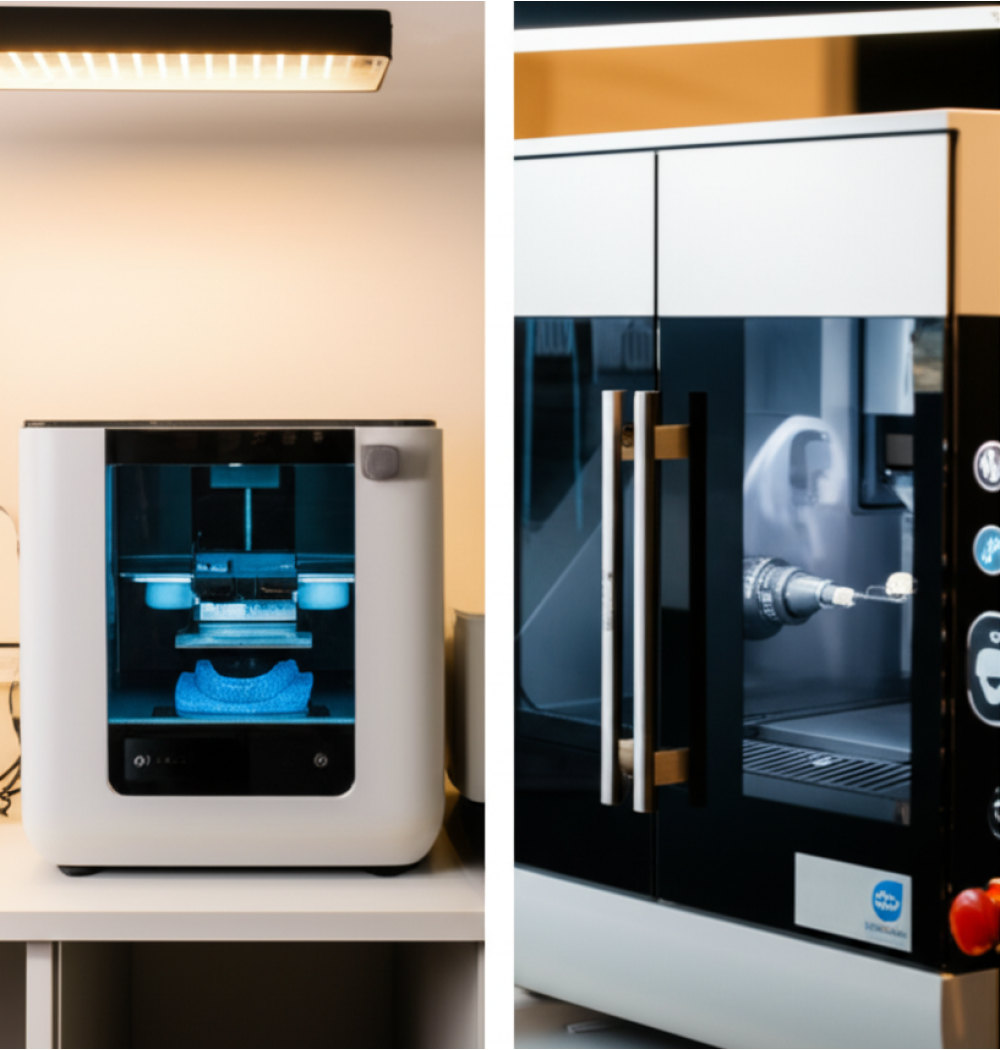
Most dental labs still debate whether to invest in 3D printing or stick with traditional CAD/CAM milling. Here's what I've learned after running both technologies side by side for three years: the real question isn't "which one," it's "which one for what." 3D printing isn't replacing milling in our lab - it's making our milling workflow more profitable and efficient.
The key is understanding where each technology excels. Milling gives you the strength and precision needed for final restorations. Printing handles the support work - guides, temporaries, models - faster and cheaper. When you use 3D printing to complement CAD/CAM milling instead of competing with it, you eliminate bottlenecks and reduce turnaround times without sacrificing quality.
1. Same-Day Surgical Guides with Milled Prosthetics
This is where the hybrid workflow makes the most sense financially. A typical implant case needs both a surgical guide and the final restoration. If you're milling both, you're tying up your machine for 3-4 hours on guide fabrication alone. That's lost production time for actual revenue-generating prosthetics.
Print the surgical guide overnight for $8 in material cost. Mill the implant-supported crown or bridge the next morning. Your printer runs while you sleep, and your mill stays focused on what it does best - cutting precise margins and contact points in zirconia or lithium disilicate.
We switched to this workflow last year. Before the change, our average implant case took 48 hours from design approval to shipping. Now we're consistently hitting 24-hour turnaround. The guide prints in 4 hours (we batch 6-8 guides per night), post-process takes 20 minutes, and the prosthetic mills during normal work hours.
Material Cost Comparison
Milled surgical guide from PMMA blank: $45-60 in material, 3-4 hours machine time. Printed surgical guide from biocompatible resin: $8-12 in material, 4 hours unattended print time. The math is simple. Save your expensive mill time for the $400 bridge, not the $150 guide.
2. Printed Temporary Crowns While Milling Final Restorations
Here's a common scenario: dentist needs a final zirconia crown but the patient needs a temporary for 5-7 days while you complete the case. If you mill the temporary from PMMA, you're looking at 45-60 minutes of machine time for a $30-40 item. That temporary just delayed a $300 final crown.
Print the temporary instead. Design it in the same software you're using for the final crown - most CAD programs now export both STL for printing and mill files simultaneously. Print the temp overnight in a batch with other cases. Mill the final crown without competing for machine time.
Our lab runs about 40 crown cases per week. Before adding a 3D printer, we'd spend roughly 30 hours per week milling temporaries. That's nearly a full additional milling machine worth of capacity we've reclaimed. We now print all temporaries in two overnight batches and our mill runs finals exclusively during business hours.
Quality Considerations
Printed temporaries need proper post-curing. Under-cured resin won't hold up for even a week in the mouth. We run all printed temps through a UV/heat post-cure unit for 15 minutes minimum. The result matches or exceeds milled PMMA for short-term temporization. For long-term provisionals (over 30 days), milled PMMA still wins on durability.
3. 3D Printed Try-In Models for Verifying CAD Designs
This one changed how we handle complex full-arch cases. When you're milling a $4,000 zirconia bridge, you want to be absolutely certain the CAD design is correct before you commit that blank to the machine. A design error caught after milling is a complete loss.
Print a try-in model of the designed restoration before milling the final. Takes 6-8 hours to print, costs about $15 in resin. Send it to the dentist for a try-in appointment. Get confirmation on contours, contacts, and occlusion. Then mill the final with confidence.
We implemented this protocol for all cases over $2,000. First year, we caught 11 design issues that would have resulted in remakes. Average remake cost: $1,200 in materials and labor. The printer paid for itself in prevented errors within four months.
When to Use Try-In Models
Not every case needs a printed try-in. Single crowns on routine preparations? Skip it. Full-arch rehabs, complex multi-unit bridges, or cases with questionable VDO? Print a try-in every time. The $15 model investment protects your $4,000 restoration from ending up in the trash.
We also print try-ins when working with new dentists or on cases where the prep quality is questionable. Better to discover seating issues with a resin model than with a sintered zirconia bridge.
4. Printed Custom Milling Fixtures and Jigs
This is the workflow addition most labs overlook. Custom fixtures let you mill cases that would otherwise be impossible or require expensive commercial jig systems.
Example: milling a veneer on a partial denture framework. You can't hold an irregular framework in a standard mill chuck. Print a custom fixture that exactly matches the framework geometry. Mount the framework in the printed jig, load it in the mill, and cut the veneer surface with precision.
We've printed fixtures for: securing fractured prosthetics for repair milling, holding implant bars at specific angulations, positioning Maryland bridge frameworks for retainer wing milling, and creating custom stops for thickness-controlled milling on thin veneers.
Design Time vs Benefit
Designing a custom fixture takes 20-30 minutes. Printing takes 2-4 hours. But it lets you take on cases you'd otherwise have to refuse or outsource. Last month we took on a repair case - milling a new connector on a fractured 12-unit zirconia bridge. Commercial labs quoted 3-week turnaround and $800. We designed a fixture, printed it overnight, milled the repair the next day, and delivered in 48 hours for $400.
The printed fixture workflow also works for athletic mouthguards that need milled occlusal surfaces, custom tray extensions for unusual anatomy, and positioning guides for consistent articulator mounting.
5. Hybrid Workflows: Printed Frameworks with Milled Components
This is where the technology combination gets interesting for complex removable cases. Print the denture base or framework, mill the occlusal surfaces or attachment components. Each technology handles what it does best.
Partial denture frameworks are a good example. Print the framework from a high-strength resin or even cast the printed framework in chrome-cobalt. Mill the rest seats and guide planes on the dies for precision fit. The framework printing gives you complex undercut geometry that's difficult to mill, while the milled rest seats give you the accuracy needed for proper support.
Full dentures work well in hybrid workflow too. Print the denture base with the ridge-lap surface and polished contours. Mill the occlusal teeth from PMMA pucks for better wear resistance and precise occlusion. We've been running this workflow for eight months on cases where patients have high aesthetic expectations but also need functional occlusion.
Material Property Matching
The challenge in hybrid cases is matching material properties. A printed denture base has different flexural strength than milled PMMA teeth. The bond between the two materials needs testing. We run a 24-hour water bath on all hybrid dentures before delivery to verify the interface won't delaminate.
For partial frameworks, we've had good results printing in a biocompatible resin rated for 50+ MPa flexural strength, then bonding to milled retention elements. The key is proper surface preparation - sandblast the printed surface at 50 microns aluminum oxide, clean with isopropyl alcohol, apply a resin bonding agent rated for both materials.
When Printing Complements vs Competes
After three years running both technologies, here's what works in our lab: print anything where precision matters less than speed and cost - surgical guides, temporaries, models, fixtures. Mill anything that goes in the mouth permanently - crowns, bridges, implant components, final dentures.
The crossover zone is in medium-term prosthetics. Provisionals over 90 days? Mill them. Under 30 days? Print them. The 30-90 day range depends on the patient - heavy bruxer gets milled PMMA, light occluder can use a printed temp.
Cost per part isn't the only factor. Machine utilization matters more. If your mill sits idle 40% of the time, you can afford to mill guides and temps. If you're running two shifts and still have a backlog, get a printer and free up that mill time for final restorations.
The labs that struggle are the ones trying to make printing do everything. A printed crown looks acceptable, but it won't last. The margins aren't as accurate. The material isn't as strong. Use printing where it makes sense - support work that helps your mill stay productive on high-value finals.
Start with one workflow. Most labs see the fastest return on same-day guides plus milled prosthetics. Add printed temporaries next. Once those workflows are running smoothly, experiment with try-in models and custom fixtures. The hybrid approach works when each technology stays in its lane.